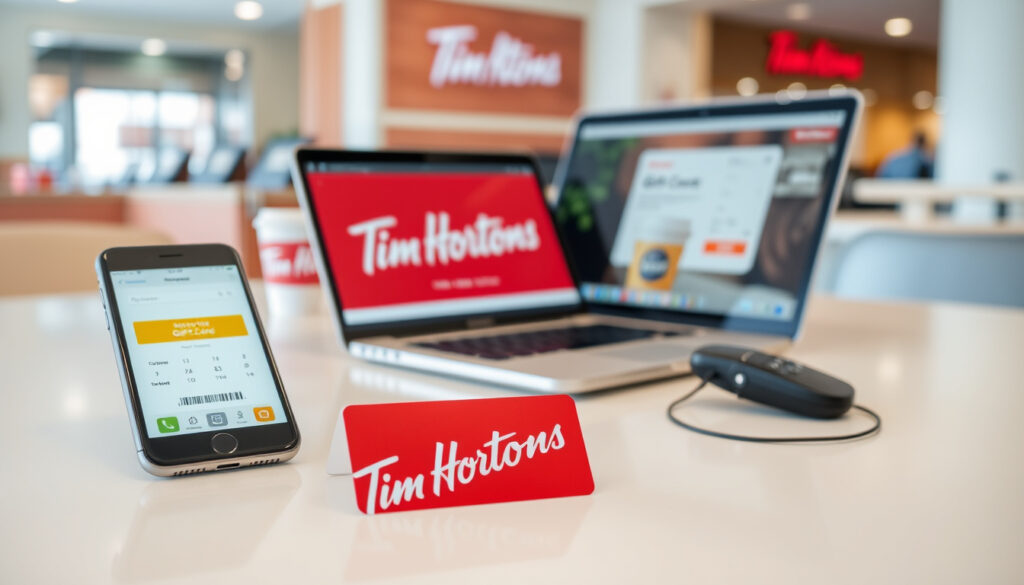
Tim Hortons Gift Card Balance: Check Online, Phone, App
Got a Tim Hortons gift card sitting in your wallet? Before you swing by for your morning double-double, it pays to know exactly what’s left on it.
Official Phone Number: 1-866-TIMCARD (1-866-846-2273) ·
Check Locations: Tim Hortons app, restaurants, online ·
Account Required: No for phone or in-store ·
Canada Specific: Primary support via timhortons.ca ·
Top Method: App or restaurant per help.timhortons.ca
Quick snapshot
- Phone and in-store always available per official FAQ (Tim Hortons CA FAQ)
- App method primary per help site (Tim Hortons Help Center)
- Balance check at any participating restaurant, by phone, or online (Tim Hortons Beta FAQ)
- Third-party online checkers reliability (GiftCardGranny)
- Whether app shows balance immediately after adding card (YouTube Tutorial)
- Multi-method balance checking confirmed as current standard (Tim Hortons Beta FAQ)
- Help center articles detail app and non-app methods (Tim Hortons Help Center)
- Balance methods remain uniform across Canada (Tim Hortons CA FAQ)
- App integration with Tims Rewards continues as primary digital path (Tim Hortons Help Center)
Four methods for checking a Tims Gift Card balance exist across official Tim Hortons channels, with each approach sharing the same core information differently.
| Method | Details | Source |
|---|---|---|
| Phone Support | 1-866-846-2273 | Tim Hortons Beta FAQ |
| Official Help | help.timhortons.ca | Tim Hortons Help Center |
| FAQ Page | timhortons.ca/tims-gift-card-faq | Tim Hortons CA FAQ |
| App Check | Tim Hortons app | Tim Hortons Help Center |
| Balance Check URL | company.timhortons.com/ca/en/timcard/tim-card-balance-check.php | Tim Hortons FAQ |
| Tims Gift Card Name | Tims Gift Card | Tim Hortons Tim Card Page |
How do I check my Tim Hortons gift card balance?
Tim Hortons offers four ways to check your Tims Gift Card balance: through the mobile app, at any participating restaurant, by calling their toll-free line, or online. The official Tim Hortons Beta FAQ confirms that “the balance on your Tims® Gift Card can be checked anytime at participating restaurants, online, on your mobile device or by calling 1-866-TIMCARD (846-2273)” (Tim Hortons Beta FAQ). Each method works for both physical cards and digital Tim Cards purchased online.
In the Tim Hortons app
- Open the Tim Hortons mobile app on your device
- Log in to your Tims Rewards account or create one if you haven’t already
- Add your Tims Gift Card to your profile using the card number
- Navigate to your profile or rewards section to view the balance
The Tim Hortons Help Center states that the app “shows balance if card is added to profile or rewards” section (Tim Hortons Help Center). Note that the app method requires a Tims Rewards account — you cannot check a balance anonymously through the app.
At a Tim Hortons restaurant
- Visit any participating Tim Hortons location in Canada
- Present your physical Tims Gift Card or digital card on your phone at the front counter
- Ask a team member to check the remaining balance
- The balance will be relayed to you immediately
This approach requires no account, no phone call, and no app download. According to the Tim Hortons CA FAQ, you can “check the remaining balance on your cards at any participating Tim Hortons restaurant” (Tim Hortons CA FAQ). The same page confirms that this method works for both physical and digital Tim Cards.
The restaurant method is the fastest option if you’re already on your way to grab coffee — a 10-second ask at the counter beats pulling up an app or finding a quiet place to call.
Online options
Tim Hortons directs users to a dedicated balance check page at company.timhortons.com/ca/en/timcard/tim-card-balance-check.php for non-app online checks (Tim Hortons FAQ). Enter your card details on that page to see your current balance. The official beta FAQ confirms that balance check is “available online via Tim Hortons platforms” (Tim Hortons Beta FAQ).
Can I check my Tim Hortons gift card balance online?
Yes, but the online experience differs depending on which path you take. The primary official method is through the dedicated timcard balance check page linked from the Tim Hortons FAQ (Tim Hortons FAQ). You enter your card number and the system returns your balance.
Tim Hortons official site method
Navigate to the timcard balance check page and input your card details. The site processes your request and displays the remaining balance. According to the Tim Hortons Help Center, the app is the primary method for balance checking, with online serving as a fallback for those who prefer web interfaces (Tim Hortons Help Center). The online page requires entering your card number — no login or Tims Rewards account needed.
Third-party checkers like GiftCardGranny
GiftCardGranny offers a balance checker for Tim Hortons gift cards, confirming the phone number 866-846-2273 as part of their listing (GiftCardGranny balance checker). However, the reliability of third-party balance checkers is unclear — they may not have real-time access to Tim Hortons’ systems. For the most accurate balance, stick with official Tim Hortons channels: the app, phone number, restaurant check, or the official timcard balance page.
Third-party balance checkers sometimes show outdated or incorrect balances because they’re not connected to Tim Hortons’ live systems. When accuracy matters — especially if you’re counting on that balance for a purchase — the official sources are the safer bet.
Can I check balance without a Tim Hortons account?
Yes, you can check your Tims Gift Card balance without registering for anything. Two methods work without an account: calling the phone line or visiting a restaurant.
Phone check process
- Dial 1-866-TIMCARD (1-866-846-2273)
- Follow the automated prompts
- Enter your card number when requested
- Listen for your current balance
According to the Tim Hortons Help Center, for cards not added to the Tims Rewards app, you can check “by calling 1-866-TIMCARD (1-866-846-2273)” (Tim Hortons Help Center). This method requires only your card number — no login credentials, no account creation.
In-store scanning
Simply bring your physical card or show the digital card on your phone to any participating Tim Hortons restaurant and ask a team member to check the balance. No account required — just the card itself.
For those without a Tims Rewards account, the restaurant and phone methods remain your best options. The Tim Hortons Help Center confirms that checking “at the front counter of participating restaurants” is available without any account requirements (Tim Hortons Help Center). The app method, while convenient, requires linking your card to a Tims Rewards account.
How do I check my Tims Gift Card balance if I don’t have an account?
The two account-free methods are the phone hotline and the in-store check. Both take under two minutes and require only your card number.
Step-by-step phone instructions
- Call 1-866-TIMCARD (1-866-846-2273)
- Select the option for gift card balance inquiry (the automated system will guide you)
- Enter the 16-digit card number when prompted
- Wait for the system to announce your balance
The Tim Hortons CA FAQ confirms that you can check the remaining balance “by calling 1-866-TIMCARD (846-2273)” (Tim Hortons CA FAQ). Have your card number ready before you call — you’ll need to enter it using your phone’s keypad.
Restaurant procedure
- Go to any participating Tim Hortons location
- Hand your physical Tims Gift Card to a team member at the counter
- Request a balance check
- Receive your balance verbally or see it printed on a receipt
The pattern across official sources is clear: Tim Hortons maintains four parallel paths for balance checking to accommodate different user preferences. Both methods are equally valid — choose based on what’s more convenient at the moment.
How can I check my balance on my Tim Hortons card?
Beyond the methods already covered, Tim Hortons also offers the Tims Gift Card management page where you can view and manage your balance. The official Tim Card page confirms that digital Tim Cards “can be bought and sent online” and that the same balance check methods apply to both physical and digital versions (Tim Hortons Tim Card Page).
Using the Tim Card page
Visit timhortons.com/timsgiftcard to access the official Tim Hortons gift card portal. From there, you can manage your cards and find links to the balance check functionality. The page also provides information on purchasing new digital Tim Cards if needed.
FAQ verification
The Tim Hortons FAQ directs users to both the app for points tracking and the dedicated balance check page for viewing card balances (Tim Hortons FAQ). Multiple methods are confirmed as working simultaneously — you don’t have to choose just one.
How to activate a Tim Hortons gift card?
Activating a Tim Hortons Tims Gift Card is straightforward — most physical gift cards purchased at retail locations are pre-activated and ready to use immediately. Digital Tim Cards purchased online are activated upon completion of the online purchase and sent via email with instructions.
- Physical cards purchased at retail: typically pre-activated at point of sale
- Digital Tim Cards: activated when purchased through timhortons.com/timsgiftcard
- Reloadable Tim Cards: may require activation by calling 1-866-TIMCARD
If you encounter an issue with activation, call 1-866-TIMCARD (1-866-846-2273) for assistance from Tim Hortons support.
Can I transfer Tim Hortons gift card balance?
Tim Hortons does not currently support transferring balance from one Tims Gift Card to another. Each card maintains its own separate balance. This is standard practice for most retail gift card programs in Canada. If you have multiple cards, you’ll need to use each one individually at checkout.
The official Tim Hortons FAQ and Help Center do not list a balance transfer feature as of the latest available information.
What if my Tim Hortons gift card balance is zero?
If your Tims Gift Card shows a zero balance, you have two options: reload the card or use a new card. Reloadable Tim Cards can be topped up at any participating Tim Hortons restaurant or through the Tim Hortons app if the card is registered to your Tims Rewards account.
According to the Tim Card page, digital Tim Cards “can be bought and sent online” as a new gift card if your current card is depleted and not reloadable (Tim Hortons Tim Card Page). Visit timhortons.com/timsgiftcard to purchase a new digital Tim Card.
Is there a fee to check Tim Hortons gift card balance?
Tim Hortons does not charge a fee for checking your Tims Gift Card balance through any of the official methods. Calling 1-866-TIMCARD, checking in-store, using the app, or checking online are all free services provided by Tim Hortons.
Note that standard airtime charges from your phone carrier may apply if you call the 1-866-TIMCARD line from a mobile device.
How do I register my Tims gift card?
Registering your Tims Gift Card links it to your Tims Rewards account, enabling balance viewing in the app. To register, download the Tim Hortons app, create or log in to your Tims Rewards account, and add your card number in the card management section.
The Tim Hortons Help Center notes that a Tims Rewards account integration is required for app balance visibility (Tim Hortons Help Center). Without registration, the app won’t display your balance.
Does Tim Hortons gift card expire?
Tim Hortons Tims Gift Cards do not expire. There are no dormancy fees or expiration dates on unused balances, in compliance with Canadian gift card regulations. Your balance remains valid indefinitely until the card is fully used or the card is cancelled through customer support.
Where to buy Tim Hortons gift cards in Canada?
Tim Hortons gift cards are available at participating Tim Hortons restaurant locations, through the official Tim Hortons website at timhortons.com/timsgiftcard, and potentially at select retail partners. Digital Tim Cards can be purchased and sent immediately via email through the official website.
The Tim Card page confirms that “Digital Tim Cards can be bought and sent online” for immediate gifting or personal use (Tim Hortons Tim Card Page). Physical cards are available at restaurant counters nationwide.
The balance on your Tims® Gift Card can be checked anytime at participating restaurants, online, on your mobile device or by calling 1-866-TIMCARD (846-2273).
— Tim Hortons (Tim Hortons Beta FAQ)
You can check the remaining balance on your cards at any participating Tim Hortons restaurant, by calling 1-866-TIMCARD (846-2273) or by going online.
— Tim Hortons (Tim Hortons CA FAQ)
By calling 1-866-TIMCARD (1-866-846-2273). At the front counter of participating restaurants.
— Tim Hortons Help (Tim Hortons Help Center)
For Canadian Tim Hortons customers, the choice between methods comes down to convenience at the moment: on your way to the restaurant anyway? The counter check takes 10 seconds. Already holding your phone? The app has it. Prefer web or need to check before you head out? The official balance page is there. The phone line exists as a reliable fallback for anyone who needs an answer without any other tools. The implication is that Tim Hortons built redundancy into their balance checking on purpose — no single method is the “official” primary way, which means you can always find your balance one way or another. Canadians who know all four paths never get stuck waiting for a balance confirmation.
Related reading: Shoppers Drug Mart Return Policy · RBC Banque en Direct Login Guide
While checking your Tim Hortons gift card balance via app or phone works great, their online buying guidecovers purchasing new ones too.
Frequently asked questions
How to activate Tim Hortons gift card?
Most physical Tim Hortons gift cards are pre-activated at retail purchase. Digital Tim Cards are activated immediately upon online purchase. If you have issues, call 1-866-TIMCARD for support.
Can I transfer Tim Hortons gift card balance?
No, Tim Hortons does not support balance transfers between Tims Gift Cards. Each card maintains its own separate balance.
What if my Tim Hortons gift card balance is zero?
Reload a reloadable Tim Card at any restaurant or via the app, or purchase a new digital Tim Card through timhortons.com/timsgiftcard.
Is there a fee to check Tim Hortons gift card balance?
No, checking your balance through any official method is free. Standard mobile phone airtime charges may apply for the phone line.
How do I register my Tims gift card?
Download the Tim Hortons app, create a Tims Rewards account, and add your card number in the card management section to register and enable app balance viewing.
Does Tim Hortons gift card expire?
No, Tim Hortons Tims Gift Cards do not expire and have no dormancy fees. Your balance remains valid indefinitely.
Where to buy Tim Hortons gift cards in Canada?
At participating Tim Hortons restaurant locations, through timhortons.com/timsgiftcard for digital cards, and potentially at select retail partners.
More related posts
 RRSP Contribution Limit 2025: $32,490, Deadlines & Strategy
 Nick Tarnasky: From NHL Enforcer to Viral Golf Fight and Coaching
 Prise de Sang Rendez-Vous en Ligne – France Step-by-Step Guide
 MOVA P10 Pro Ultra Review: Specs, Problems, Value
 Ray Shero Cause of Death – NHL Executive’s Cancer Battle and Legacy
 Queen Size Bed Frame: Sizes, Comparisons & Ireland Options
 Cast of Dexter: Resurrection – Full List & Characters Guide
 Pete Hegseth: Military Service, Bronze Stars, and Personal Life
